An online circuit simulator that works like a real bench
Simscuit’s Circuit Studio is a free online circuit simulator. Place real components on a breadboard, wire them pin to pin, press Simulate and watch the circuit work: LEDs light, motors and servos turn, buzzers sound and every wire shows its voltage and current. Nothing to install, free to start, and it runs on a laptop, a Chromebook or a tablet.
See a circuit work before you build it
Simscuit works out the voltages and currents in your circuit as it runs. Hover over any pin or wire to read its voltage and current, turn on current flow to see moving dots along the wires, or colour wires by voltage. Turn a potentiometer, change the light on a photoresistor or the temperature on a sensor, press buttons and flip switches while the simulation runs.
Mistakes are safe and instructive. Parts pushed past the ratings in their datasheets, such as an LED without a resistor or a pin asked for too much current, glow, smoke and burn out, and the Problems panel gives the numbers and the rating that was exceeded.
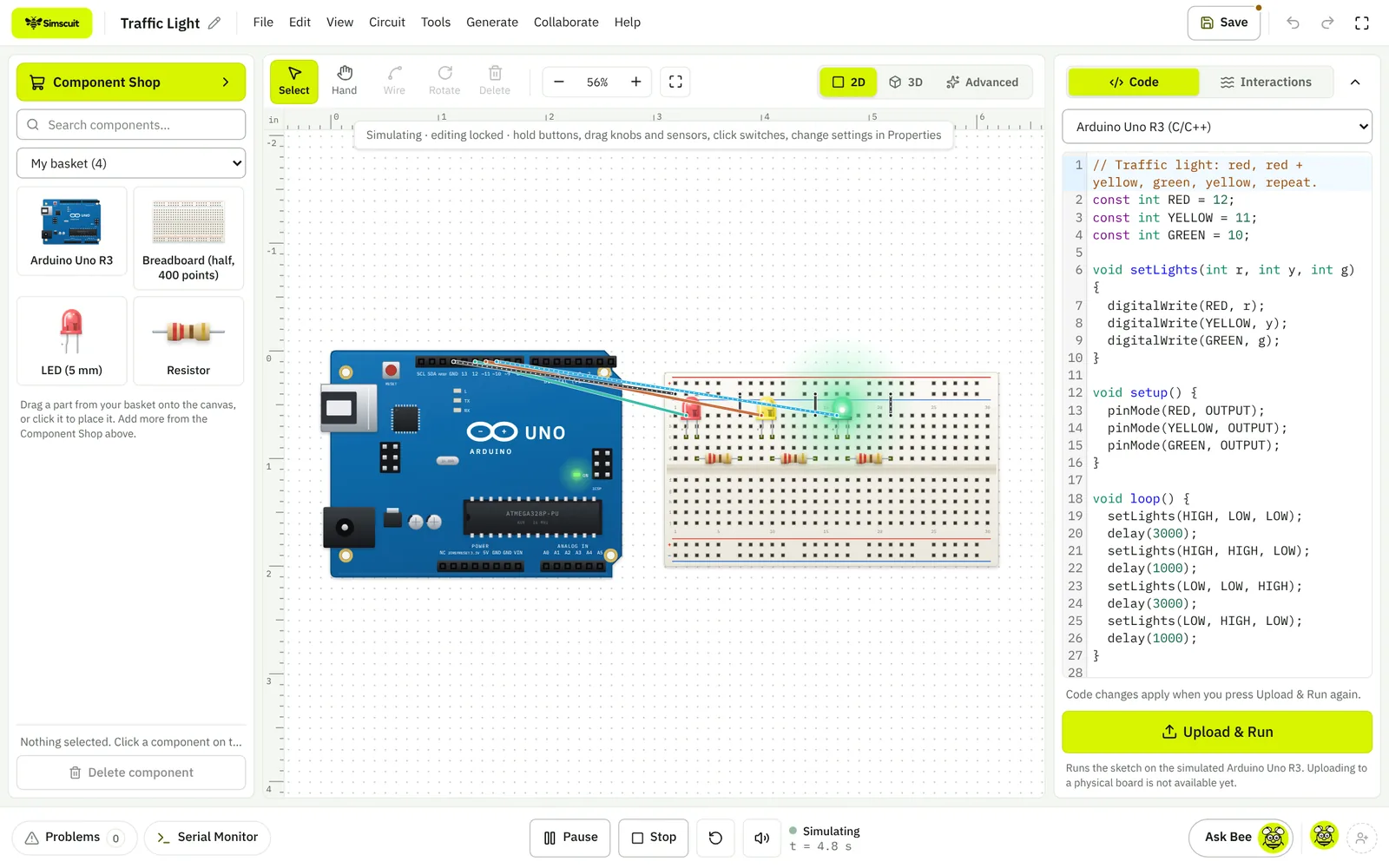
Why simulate in Simscuit
- Real parts with real limits: every rating comes from a datasheet, so the simulation tells you what would happen on the bench
- You see electricity, not just results: moving current dots, voltage colours and a live reading on every pin and wire
- Circuit and code in one simulation, with about 20 Arduino, ESP32, Pico, STM32 and Teensy boards
- A bench full of instruments: multimeter, two-channel oscilloscope, logic analyser, function generator and bench supply, adjustable while it runs
- When it works, take the same circuit on to a PCB, an enclosure and a robot without leaving the browser
Real components, drawn at real size
The component library holds more than 1,000 parts with their pinouts on a 0.1 inch grid, each linked to the datasheet its specifications came from.
- Resistors, capacitors, diodes, LEDs and RGB LEDs, transistors and regulators
- Buttons, toggle, slide and DIP switches, potentiometers and rotary encoders
- Sensors for light, temperature, humidity, distance, motion and gas
- LCD, OLED, TFT, seven-segment and NeoPixel displays
- DC motors, servos, steppers, relays, buzzers and fans
- Arduino, ESP32, Raspberry Pi Pico, STM32, micro:bit and Teensy boards
- Measuring instruments: multimeter, oscilloscope, logic analyser, frequency counter, bench power supply and function generator
How to simulate your first circuit
- Create a free account and open Circuit Studio, or start from a template such as LED Blink or Traffic Light.
- Drag a battery or an Arduino, a resistor and an LED from the component shop onto the breadboard.
- Click a pin and then another to draw a wire; the wire snaps to the pin and connects.
- Press Simulate. The LED lights if the circuit is right; hover over the resistor to read the current through it.
- Change the resistor value in its properties and watch the brightness and current change.
Add code: an Arduino simulator in the same window
Put a microcontroller board on the breadboard and its sketch opens beside the circuit. The same simulation runs the code and the circuit together, with a Serial Monitor for what the sketch prints.
What it does not do yet
Sketches run in Simscuit’s own Arduino interpreter, which covers the common Arduino functions and the libraries listed above. It does not emulate the chip itself, so interrupts, classes, structs and pointers are not supported yet, and timing is close to a real board rather than cycle-exact. Parts outside the simulating set are placeable and wireable but marked Visual only.
Simscuit is built for learning, prototyping and checking ideas; for detailed analogue analysis, a SPICE tool such as LTspice remains the right choice.
Questions
Is the circuit simulator free?
Yes. Circuit Studio and its simulation are part of the free plan.
Do I need to download anything?
No. It runs in a modern browser such as Chrome, Edge, Safari or Firefox, and can be installed as an app from the browser if you like.
Can I simulate a circuit without an Arduino?
Yes. Batteries, supplies, LEDs, diodes, buttons, switches and potentiometers simulate on their own, as in the Battery Torch template.
Is my work saved?
Projects are saved in your browser and, when you are signed in, also in your account so you can open them on another device.